02 | Set Up Your Profile
Fit For Facilitation works best when we know who is in the room, not just names but context.
Your profile shows how you work, what you care about, and when it makes sense to connect.
Clear profiles lead to better questions, more relevant answers, and warmer conversations.
Two minutes here improves every interaction later.
How To Get There
Click your avatar in the top right
Select "Profile"
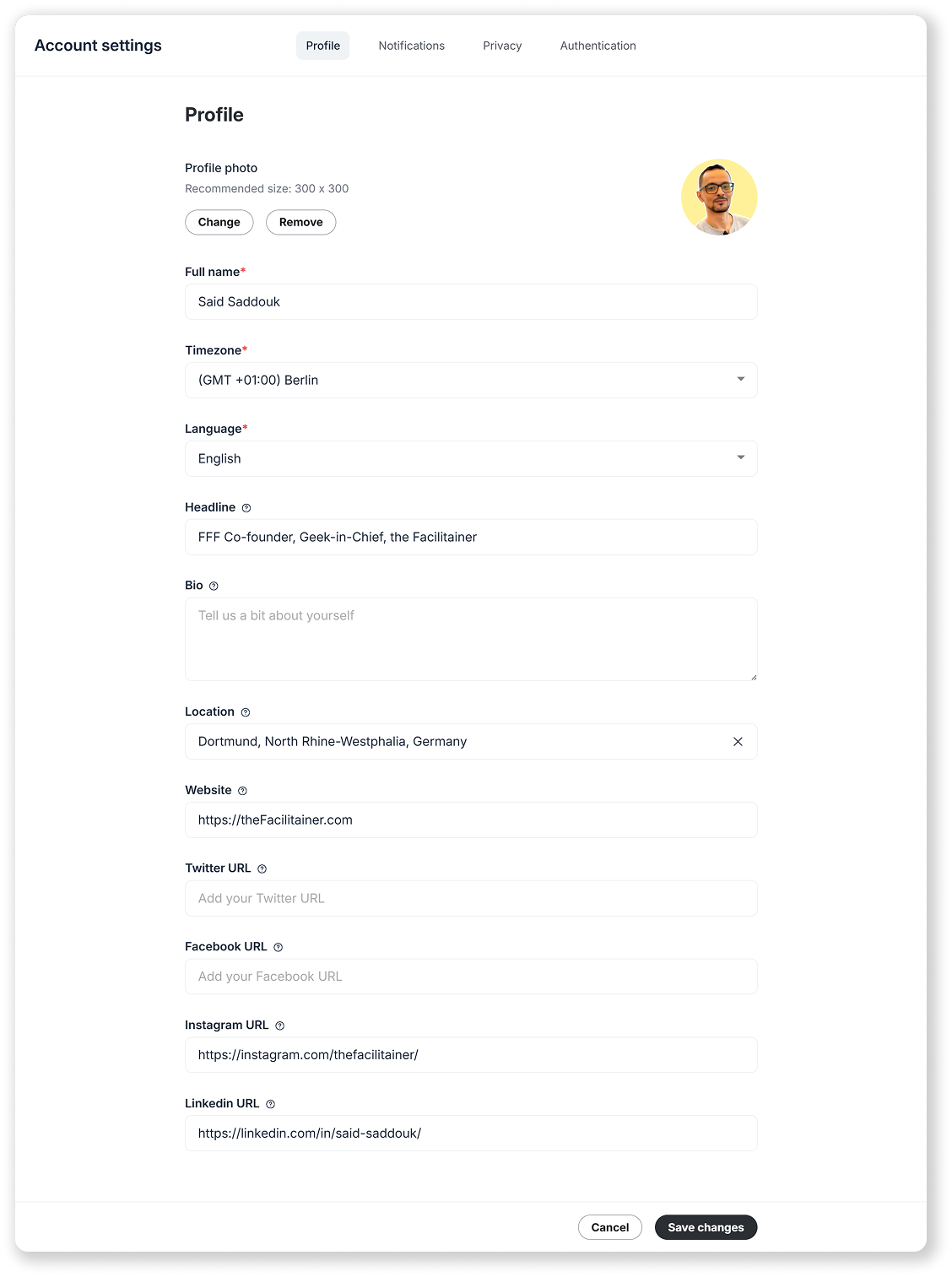
What To Update?
Use your real name
First name and last name.
It helps people recognize you across spaces.
Check your timezone
Make sure it reflects where you actually are.
This keeps events, reminders, and scheduling accurate.
Headline matters
Your headline appears under your name in posts and comments.
Use it to describe what you do or why you are here.
Example:
[Facilitator - L&D - Curious Human]
Bio is optional but helpful
One or two lines are enough.
Example:
[I design and facilitate collaborative workshops for distributed teams.]
Add links if you want to be found elsewhere
Recommended: LinkedIn for connecting outside the community.
Optional: Your website if people want to learn more about your work.
One Last Thing
This is not about polishing a personal brand.
It is about making the community easier to navigate.
Clear beats clever.
You can always tweak this later.