03 | Tune Your Notifications 🔔
Fit For Facilitation works best when the signal stays stronger than the noise.
Notifications help you stay connected without feeling overwhelmed.
The goal is not to see everything, but to catch what actually matters to you.
A quick setup now keeps the community useful, not distracting.
How To Get There
Click your avatar in the top right
Select "Account settings"
Open "Notifications"
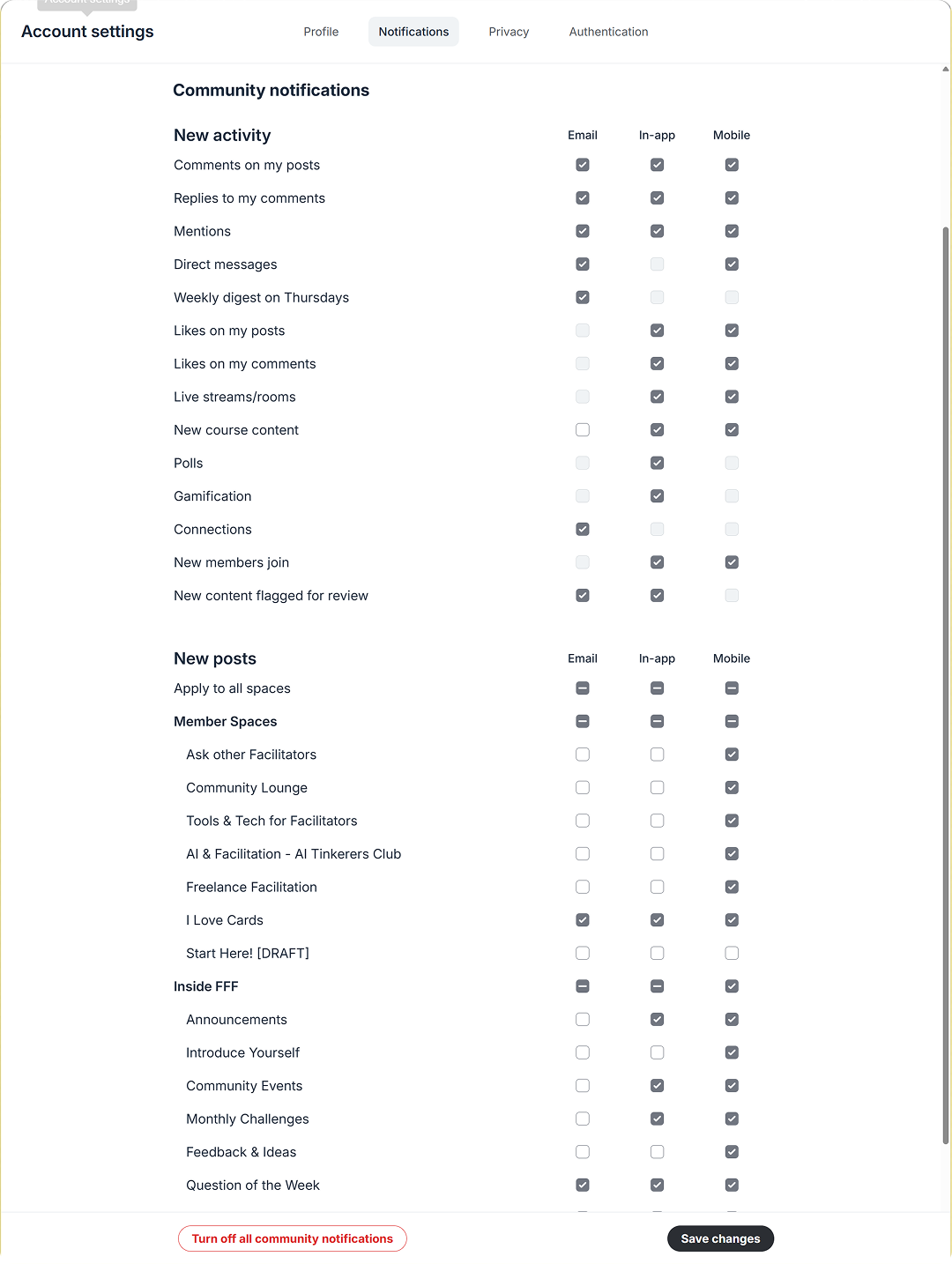
What To Check
Email notifications
Most space emails are muted by default.
Keep emails on for announcements and important updates.
In app notifications
These control what you see inside the community.
Turn them on for spaces you actively follow.
Mentions and messages
Keep these enabled so you do not miss direct replies.